Icon of program: iBackup 2011

iBackup 2011 for Mac

  • Free
  • 3.7
    66
  • 1.8K
  • V7.6
Free Download for Mac

View an ad to download for free

Easily make copies and backups of your Mac

Regularly saving and backing up your data is something that should come natural. You can of course easily use Mac's very own Time Machine feature to do so but maybe you don't want to devote and entire hard drive to backing up OS X.

Top Recommended Alternative

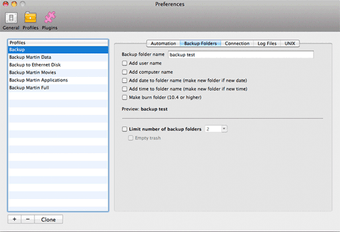
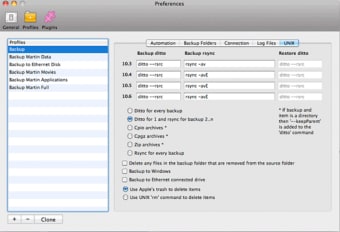
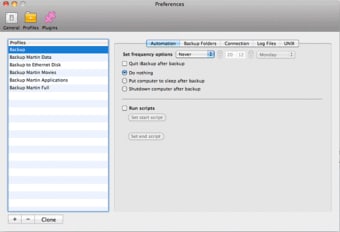
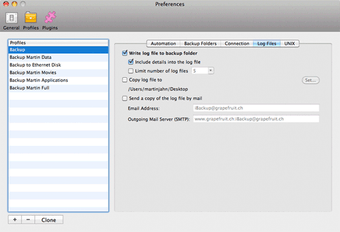
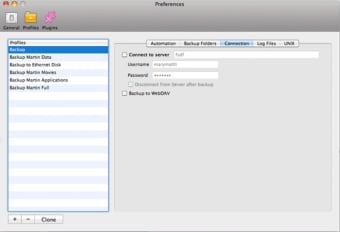
If you're looking for an external solution, iBackup 2010 is a simple program with a Finder like interface which will cater for all new comers to backups.Backups are called Profiles in iBackup 2010 and you can create as many as you wish, adding, deleting or editing them. The program also allows you to create smart lists to sift through your data.While you can manually backup, the best thing is to create a schedule so you don't ever have to worry about it. On the whole, iBackup 2010 performs fairly quickly and the interface makes it easy to see what you've added to each profile.One advantage over Time Machine is that iBackup gives you much greater control over which preferences you backup for different programs. However the application suffers a few drawbacks.First of all, there really isn't any incremental backup and you need to recreate a profile to add new items to it. This also means that the log file won't show what new files have been added to a backup.Restoring a drive works fine, but iBackup 2010 clearly lacks a feature to only restore individual items. iBackup 2010 is a simple backup solution, for people looking for something basic and easy to use and don't want to rely on Time Machine.

New: iBackup log file Bug fixed: iBackup didn't start the backup due to a wrong variable

  • Pros

    • Fast and efficient
    • Easy to use
    • Sets up different profiles
    • Doesn't require dedicating an entire hard drive like Time Machine
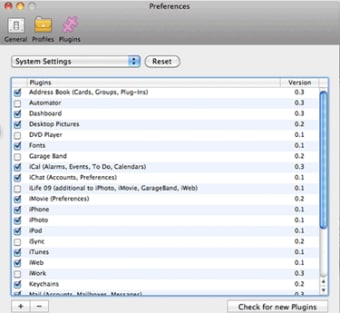
    • Makes it easier to backup preferences
  • Cons

    • No incremental backup
    • No individual restore function
 0/7

App specs

  • Developer

  • License

    Free

  • Version

    7.6
  • Latest update

  • Platform

    Mac

  • OS

    Mac OS X

  • Language

    English

    Available languages

    • German
    • English
    • Spanish
    • Finnish
    • French
    • Italian
    • Japanese
    • Dutch
    • Polish
    • Portuguese
    • Russian
    • Swedish
    • Chinese
  • Downloads

    1.8K

  • Size

    17.66 MB

Program available in other languages


Icon of program: iBackup 2011

iBackup 2011 for Mac

  • Free
  • 3.7
    66
  • 1.8K
  • V7.6
Free Download for Mac

View an ad to download for free


User reviews about iBackup 2011

Have you tried iBackup 2011? Be the first to leave your opinion!

Add review

You may also like

Alternatives to iBackup 2011

Explore Apps

Latest articles

Laws concerning the use of this software vary from country to country. We do not encourage or condone the use of this program if it is in violation of these laws.
Softonic

Is iBackup 2011 safe?

100/100

Score result: Clean

This file passed a comprehensive security scan using VirusTotal technology. It is safe to download.

  • Virus free
  • Spyware free
  • Malware free
  • Verified by Security Partners

    VirusTotal logo

Scan Info

Last scan
Friday, December 8, 2023
Scan provider
VirusTotal · Full report

File Integrity

File
iBackup-7-6.dmg
SHA256
97e34fd79a16193161e873e2eb77c32597dedb5b63d44ed48a61c40af8aba8e2
SHA1
5d2bdbb61ac54c5493ebdaef341cf7f7976b48ac

Softonic security commitment

iBackup 2011 has been thoroughly scanned by our advanced security systems and verified by industry-leading partners. This file comes from the official developer and has passed all our security checks, showing no signs of viruses, malware, or spyware. For more information, visit our Security and Trust Center

Signed in to Softonic as